Find a prompt. Make it yours.
Explore 50 original SwitchRoute prompt recipes with matching previews, practical customization notes, and one-click copying.
Trending uses recorded copy actions. Recently added uses publication timestamps when available.
Submit a promptWatch what video models can do
Source-attributed examples and official workflow guides. Videos open on their original publisher; this page does not rehost or embed third-party media.
Loading verified video sources…
56 recipes
Prompt gallery
Browse matching previews, keep useful prompts saved, or copy a full prompt directly.
 4:5

Women’s Portrait in Warm Window Light
A candid adult portrait that keeps freckles and natural facial texture while using a real-feeling city café setting.
Photograph a fictional adult woman, [AGE RANGE], with [SKIN TONE], [HAIR], and [DISTINCTIVE NON-IDENTIFYING DETAILS]. She wears [CLOTHING] and sits naturally beside a large café window. Use warm daylight from camera left, soft reflected fill, and a softly blurred [CITY OR BACKGROUND]. Frame chest-up at a relaxed three-quarter angle, with an authentic expression and natural catchlights. Show realistic skin pores, fine facial hairs, subtle unevenness, and believable hands if visible. Shot on a 50mm lens at f/2.2, gentle film grain, restrained color grade, portrait 4:5. Avoid plastic smoothing, exaggerated makeup, warped eyes, text, or logos.
 3:2
Two-Person Editorial Portrait with Natural Skin Detail
A flexible premium portrait setup for two distinct adult subjects, with believable skin, balanced lighting, and room for a landscape crop.
Create a premium editorial photograph of two fictional adults: [WOMAN DESCRIPTION] and [MAN DESCRIPTION]. Keep their faces visibly distinct and anatomically natural, with individual skin texture, pores, fine lines, realistic eyes, and expressions that feel relaxed rather than posed. Dress them in [WARDROBE]. Frame both from the chest up, side by side with clear separation, looking toward camera. Set them against [BACKGROUND] with soft key light, subtle warm edge light, and natural shadow falloff. Use an 85mm portrait lens, believable depth of field, refined color, and quiet negative space on the left. Landscape 3:2 composition. Avoid waxy skin, facial symmetry artifacts, extra people, text, logos, or jewelry distortions.
 1:1
Men’s Professional Headshot with Character
An approachable business portrait that preserves age, expression lines, and skin texture instead of smoothing away character.
Create a polished but natural professional portrait of a fictional adult man, [AGE RANGE], with [SKIN TONE], [HAIR AND FACIAL HAIR], and [DISTINCTIVE NON-IDENTIFYING DETAILS]. He wears [CLOTHING] in a contemporary [WORKPLACE] setting. Frame head and shoulders at eye level; use a relaxed, confident expression, soft window light from camera left, subtle warm practical light in the background, and realistic skin pores and age lines. Use an 70mm portrait lens, restrained depth of field, neutral true-to-life color, square crop with space above the head. Avoid airbrushed skin, exaggerated jaw shape, artificial eye sharpening, text, or logos.
 4:5
Couple Portrait in a Courtyard at Dusk
A warm, unforced adult couple portrait with two different faces, individual wardrobe, and gentle evening light.
Photograph two fictional adults as a relaxed couple: [PERSON ONE DESCRIPTION] and [PERSON TWO DESCRIPTION]. Keep their facial features, skin tones, hair, and expressions distinct. Give each person separate [WARDROBE DETAILS]. Place them close together in a [SETTING] at dusk with soft amber practical lights and a gentle cool ambient fill. Frame from waist-up with a natural, slightly asymmetric stance; capture a quiet shared smile without making them look like twins. Use a 50mm lens, honest skin texture, natural hands, soft background separation, and portrait 4:5 framing. Avoid beauty-filter skin, matching faces, text, or logos.
 1:1
15 Free Google AI Tools
Google just released five new AI tools you can use for free, and it actually has ten more. Here are all 15 — SynthID Detector, Playground, Files in Gemini, Android apps via AI Studio, Gemini Notebook, Pomelli, Flow Music, Stitch, Antigravity, Flow, Gemini, Google Vids, AI Mode, Search Live and Live Translate — what each one does and exactly where to find it. Source: mavgpt.ai.
15 Free Google AI Tools — mavgpt.ai The 5 free AI tools Google just released, plus 10 more, and where to find each. Google just released five new AI tools that you can use for free, and it actually has ten more. You can check if a photo, video or voice clip was made with AI, build your own games and Android apps just by describing them, have Gemini make your documents, slideshows and spreadsheets, and turn your notes into quizzes. Here's all 15, what each one does and exactly where to find it. --- HOW THESE WORK Every tool below is free to start with your Google account. Some have daily limits, and a few are only in some countries or need you to be 18 or older. I note that under each one. A lot of these started at Google Labs, at labs.google, and that's still where new free tools show up first. If you've never set up Gemini itself, my complete Gemini guide is the place to start, with the Gemini secret codes as the shortcut list. One honest heads-up. Google moves fast, and tools come and go. Opal, from my earlier Google video, shuts down on November 17, 2026, and Jules is winding down too, so they're off this list. Mixboard has already closed. --- GETTING THE MOST OUT OF THESE Bookmark the hub. Save labs.google. It's where new free tools show up first. A five-minute look every few weeks keeps you ahead of almost everyone. "Free" usually means a free tier. Everything here is free to start, but the heavier jobs (long videos, lots of creations) may cap you or nudge you toward a paid plan. You can do a lot inside the free limits. If it's not available where you are. Some tools roll out country by country, need you to be 18 or older, or start with a waitlist. If one won't open for you yet, check back. Labs experiments can also end, like Opal and Mixboard, so don't build your whole business on one. Match the tool to the job. Is it real? SynthID Detector. A game? Playground. Documents and slides? Gemini. Your own app? AI Studio. Studying? Gemini Notebook. Marketing? Pomelli. Music? Flow Music. App or web design? Stitch. Coding? Antigravity. Images and short video? Flow or Vids. Big questions? AI Mode. Traveling? Live Translate and Search Live. Tip. These pair beautifully with Claude and ChatGPT. Draft a plan in one, make it in another. Want help picking the rest of your stack? My only AI tools you need guide lays out a simple free setup. --- THE ONE-PAGE CHEAT SHEET SynthID Detector — check if a photo, video or audio clip was made with AI, at synthid.com Playground — describe a game and play it, at playground.google Files in Gemini — documents, PDFs, slides and spreadsheets in the chat, at gemini.google.com Android apps — build your own app and install it from Google Play, at aistudio.google.com Gemini Notebook — quizzes and flashcards from your notes, at notebook.google Pomelli — on-brand marketing from your website, at labs.google.com/pomelli Flow Music — full songs from a prompt, at flowmusic.app Stitch — app and website design from a prompt, at stitch.google.com Antigravity — AI code editor, build by describing, at antigravity.google Flow — AI images and short video, at flow.google.com Gemini — the free AI assistant, plus images, at gemini.google.com Google Vids — videos and short AI clips, at vids.new AI Mode — ask Search big questions, at google.com/ai Search Live — talk to Search and show it your camera, in the Google app Live Translate — two-way spoken translation, in the Google Translate app --- YOUR ACTION PLAN 1. Upload one photo you've been unsure about to synthid.com. 2. Ask Gemini to turn something you're working on into a PDF or a slideshow. 3. Pick the two tools from the 10 more that fix your biggest time-sink. 4. Run one real task through each today. 5. Bookmark labs.google and check back for new ones. The best tools in AI right now cost nothing. You just had to know where to look. Source: mavgpt.ai — "15 Free Google AI Tools" (https://mavgpt.ai/resources/google-free-ai-tools-2026). Published August 23, 2026 · Checked November 2026 · Updated 2026-11-01. This guide is not a SwitchRoute original; shared with credit.
 1:1

360° Seamless Orbital Automotive Hero Sweep
Executes a continuous 360-degree rotational camera orbit around a luxury vehicle with dynamic reflections and studio lighting.
Higgsfield AI camera control prompt: Continuous 360-degree orbital camera sweep rotating smoothly around a sculpted midnight-matte electric supercar parked inside an infinity mirror studio. The camera maintains a steady low 3-foot height, moving counter-clockwise at constant speed. Overhead linear LED strip lights reflect sequentially across curved body panels and aerodynamic carbon fiber spoilers. High frame rate, steady gimbal motion, pristine automotive commercial render.
 1:1

5 Premium Website Prompts (Part 1)
Five complete, animated one-file websites from Aaghaz / Make First Million (@make.first.million): a workflow-automation SaaS landing page, a holographic trading-card marketplace, a dark techwear store with a 3D centrepiece, a warm coffee roastery one-pager, and an AI assistant site with a glowing particle orb. Copy a prompt, paste it into ChatGPT, Claude or Gemini, and get a complete index.html.
5 Premium Website Prompts (Part 1) — Aaghaz / Make First Million (@make.first.million) Copy one prompt, paste it into ChatGPT, Claude or Gemini, and you get a complete, animated website in ONE file called index.html. We built every site in this guide from these exact prompts, so they work. HOW TO USE A PROMPT (4 STEPS) 1. Copy one full prompt below (from its first line to its last line). 2. Paste it into a new chat in ChatGPT, Claude or Gemini and press send. Ask: "Give me the complete index.html in one code block." 3. Save the code: open Notepad (Windows) or TextEdit (Mac, plain text mode), paste the code, and save it as index.html. Double-click the file and it opens in your browser. 4. Remix and ship: ask the AI to change the brand name, text, colours or sections. To put it online for free, open Netlify Drop and drag the folder with your index.html onto the page. You get a live link in seconds. Tip: Claude can also show the site live in a preview (an "artifact"), so you see it before you save it. If a part looks broken, tell the AI exactly what you see, e.g. "the 3D object is not showing, fix it". It will send a fixed file. --- MAKE IT YOURS Change the brand: "Rename the brand to <your name> and rewrite all text for <your business>." Change the colours: "Use #FF7D00 as the accent colour instead." Add a section: "Add a testimonials section with 3 reviews after pricing." Source: Aaghaz / Make First Million (@make.first.million) — "5 Premium Website Prompts (Part 1)". These prompts are not SwitchRoute originals; shared with credit.
 1:1
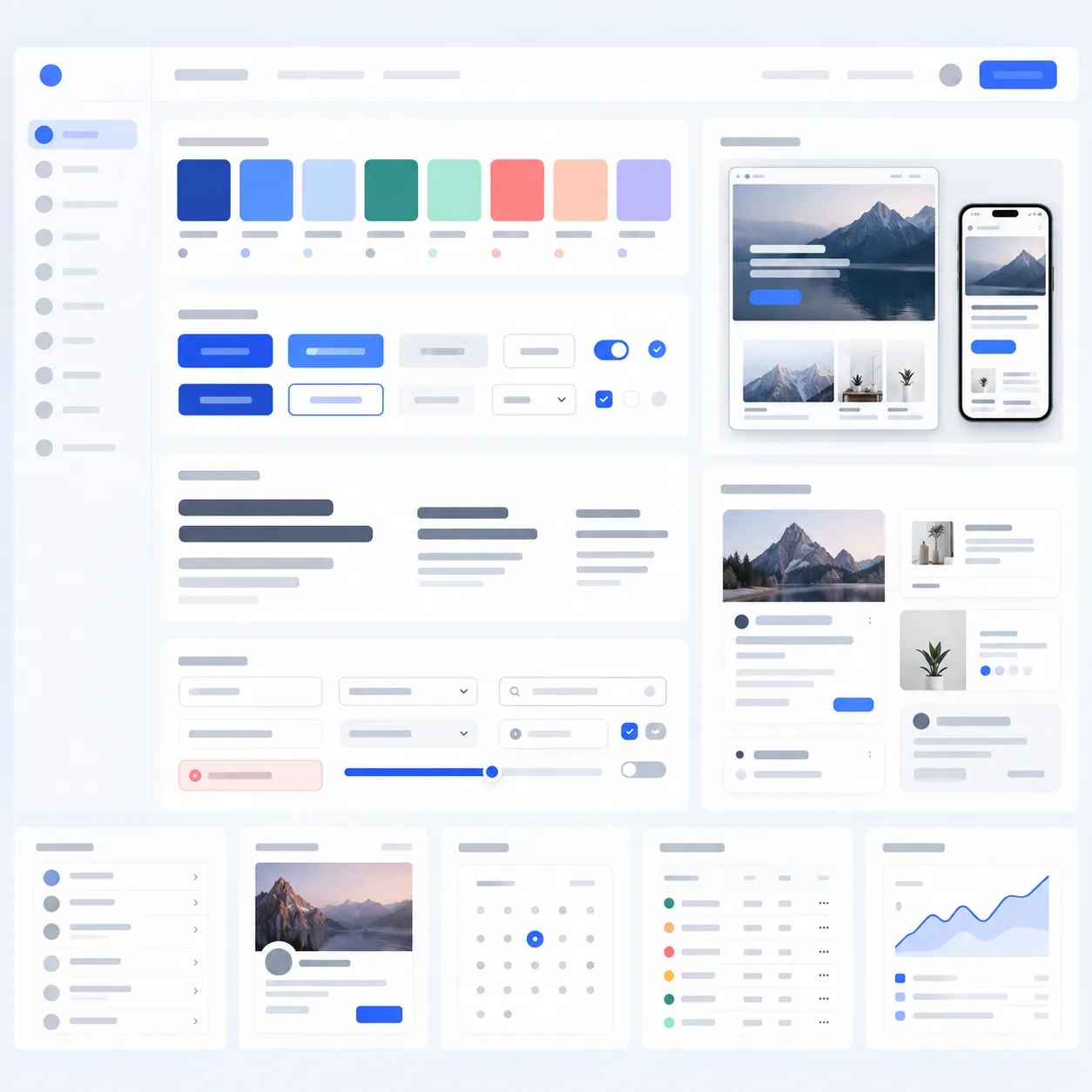
Accessible Tailwind Design System Component Suite
Generates a live interactive component playground showcasing buttons, inputs, modals, toasts, and badges with light/dark toggling.
Develop an Interactive Design System Showcase as a Claude Artifact. Components to showcase: 1. Buttons: Primary, secondary, outline, destructive, ghost, with loading states and icon variants. 2. Form Inputs: Text, password with visibility toggle, select dropdown, checkbox, radio group, and slider with live value display. 3. Feedback: Dismissible toast notifications (success, error, info), modal dialog with backdrop blur, and tooltip hover targets. 4. Cards: Stat card, user profile card, and feature announcement card. 5. Interactive Theme Switcher: Toggle between Dark, Light, and High-Contrast modes, changing all CSS variables dynamically. 6. Tabbed View: Switch between "Components Preview", "Color Palette Tokens", and "Typography Hierarchy". Executable code.
 1:1

Broken Authorization and IDOR
Prevent a logged-in user from changing an ID in a URL or request to access someone else's order, invoice, or profile.
Act as a senior application security engineer. Audit my entire application for Broken Access Control and Insecure Direct Object Reference (IDOR) vulnerabilities. Inspect every page, API route, server action, database query, and resource accessed through a user-supplied identifier, including URLs such as /orders/101, /users/42, /invoices/123, and equivalent IDs in request bodies or query parameters. For every sensitive resource: 1. Verify authentication where required. 2. Enforce server-side authorization on every read and write. Confirm the currently authenticated user has permission to access that specific resource, not merely that they are logged in. 3. Check resource ownership or explicit role-based permissions using trusted server-side identity and database relationships. 4. Apply authorization checks to GET, POST, PUT, PATCH, and DELETE operations, including nested resources, file downloads, exports, and background actions. 5. Prevent users from changing IDs, manipulating request payloads, or invoking backend endpoints directly to access another user's data. 6. Return appropriate 403 or 404 responses for unauthorized requests without leaking private record details. Implement reusable authorization checks where practical. Add automated tests with at least two separate users, covering attempts to access, modify, and delete each other's resources, plus legitimate owner access and administrator access where applicable. Run the tests and report the vulnerable endpoints, code changes, test results, and any unverified areas. Do not treat frontend route guards or hidden UI elements as security controls. Authorization must be enforced on the server or through correctly configured database policies.
 1:1
Character Emotional Shift & Micro-Gesture Reveal
Directs character facial animation with authentic eye saccades, breathing micro-movements, and subtle emotional transitions.
Create a short cinematic character-performance clip: an expressive adult protagonist looks through a rain-streaked window, shifting naturally from quiet reflection into a faint confident smile. Preserve the same facial identity and proportions throughout. Include subtle eye movements, gentle breathing, warm room-lamp reflections in the eyes, and softly focused raindrops outside. Use a stable intimate 50mm close-up with restrained motion and realistic skin. Avoid face morphing, exaggerated expression, abrupt camera movement, text, or logos.
 16:9

Cinematic Anamorphic Studio Portrait
Generates dramatic, award-winning editorial character portraits with authentic film grain and rim lighting.
Editorial close-up portrait of a thoughtful artisan in an ambient wood workshop, dust motes caught in afternoon sunlight, shot on Arri Alexa with Cooke Anamorphic 50mm T2.3, natural skin imperfections, subtle rim light, shallow depth of field, 35mm grain, color graded in warm amber and muted teal --ar 16:9
 16:9
Cinematic Architectural Establishing Landscape
Wide-angle environmental backdrop with atmospheric depth, golden-hour radiance, and architectural harmony.
Wide cinematic establishing shot of [LOCATION/SETTING] captured during [LIGHTING TIME OF DAY]. Dramatic volumetric sun rays piercing through atmospheric haze, natural environmental foliage, crisp architectural silhouettes, deep horizon perspective, color grade emphasizing [BRAND COLORS], shot on Hasselblad H6D-100c with 24mm wide angle, [VISUAL STYLE] aesthetic --ar [ASPECT RATIO]
 1:1
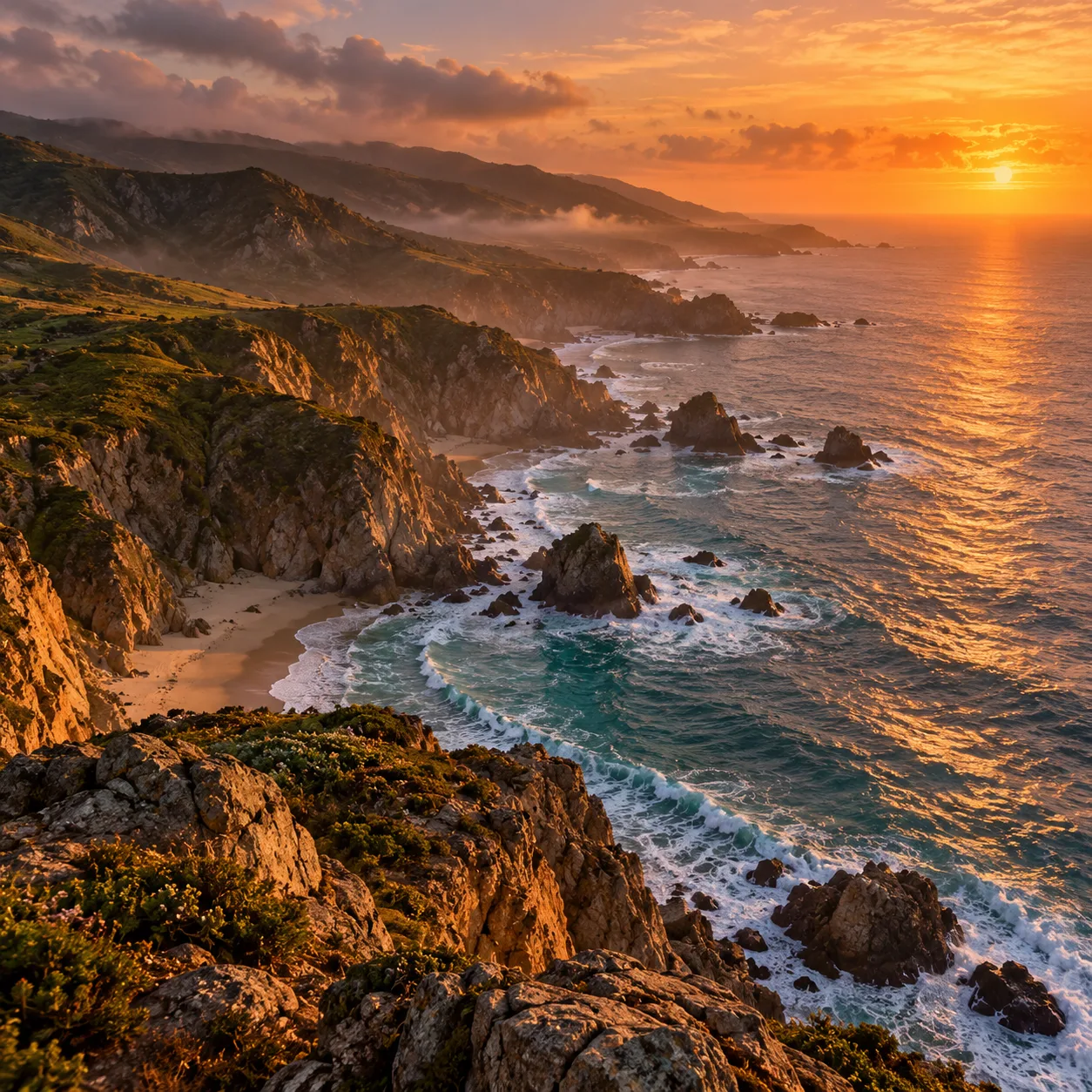
Cinematic Drone Push-In Over Coastal Cliffs
Smooth aerial drone shot descending from high vantage point down to crashing coastal ocean waves during sunset.
Higgsfield AI aerial camera prompt: Cinematic FPV drone camera gliding smoothly forward and descending gracefully from 200 feet above dramatic black volcanic ocean cliffs down toward crashing emerald waves below. Golden hour sun dipping below the horizon casts long shadows across rugged sea stacks and sea foam spray. The camera maintains continuous forward push-in with gentle downward tilt. 4K aerial resolution, natural atmospheric mist, epic cinematic film score tone.
 9:16
Cinematic Rooftop Portrait with Wind and a Slow Push-In
An original suggested image-to-video recipe for subtle hair and fabric movement, identity stability, and a measured camera push-in.
Animate the provided portrait of a fictional adult woman on a rooftop at blue hour. Preserve her exact facial identity, skin texture, hairline, clothing, and body proportions throughout. A light breeze moves one loose hair strand and gently lifts the edge of her cobalt jacket; she makes one small turn toward the breeze with a calm, confident expression. The camera makes a very slow, stable push-in from a chest-up frame, with distant windows softly glowing in the background. Natural micro-movements only, cinematic portrait optics, realistic fabric physics, no face morphing, no new objects, no text, no logos. Suggested 5-second vertical 9:16 recreation; duration is a prompt target, not a measured source clip.
 1:1
Claude $200 max plan free
Claude Code's usage limit reached? Don't stop coding — continue using free AI models with 8 GitHub repositories: FreeLLM, Free LLM Proxy Router, Free LLM API, Free LLM Router, LLM Router, Free Best Router, FreeLLM API and OmniRoute. Choose a repository, connect free API keys from providers like Groq and Google Gemini, and configure the proxy endpoint in Claude Code.
Claude Code's Usage Limit Reached? Don't stop coding! You can continue using free AI models with the help of these **8 GitHub repositories.** ### How to Set It Up Step 1: Choose a compatible GitHub repository, download it, and install it on your system by following its setup instructions. Step 2: Connect free API keys from providers like Groq, Google Gemini, and other supported platforms. Step 3: Configure the compatible proxy or API endpoint in Claude Code. Select your preferred free AI model and enable automatic model switching if supported. Some repositories may require additional configuration. ### 8 GitHub Repositories to Explore 1. FreeLLM – https://github.com/Devansh-365/freellm 2. Free LLM Proxy Router – https://github.com/kaiser-data/free-llm-proxy-router 3. Free LLM API – https://github.com/nabinkhadka/free-llm-api 4. Free LLM Router – https://github.com/YeomanYe/free-llm-router 5. LLM Router – https://github.com/alienz-dev/llm-router 6. Free Best Router – https://github.com/MajidAsghariTabrizi/free-best-router 7. FreeLLM API – https://github.com/tashfeenahmed/freellmapi 8. OmniRoute – https://github.com/Gmagl/omniroute Important: Free API providers have usage limits and rate restrictions. Compatibility and automatic switching features vary between repositories. Always check the documentation before installing.
 16:10
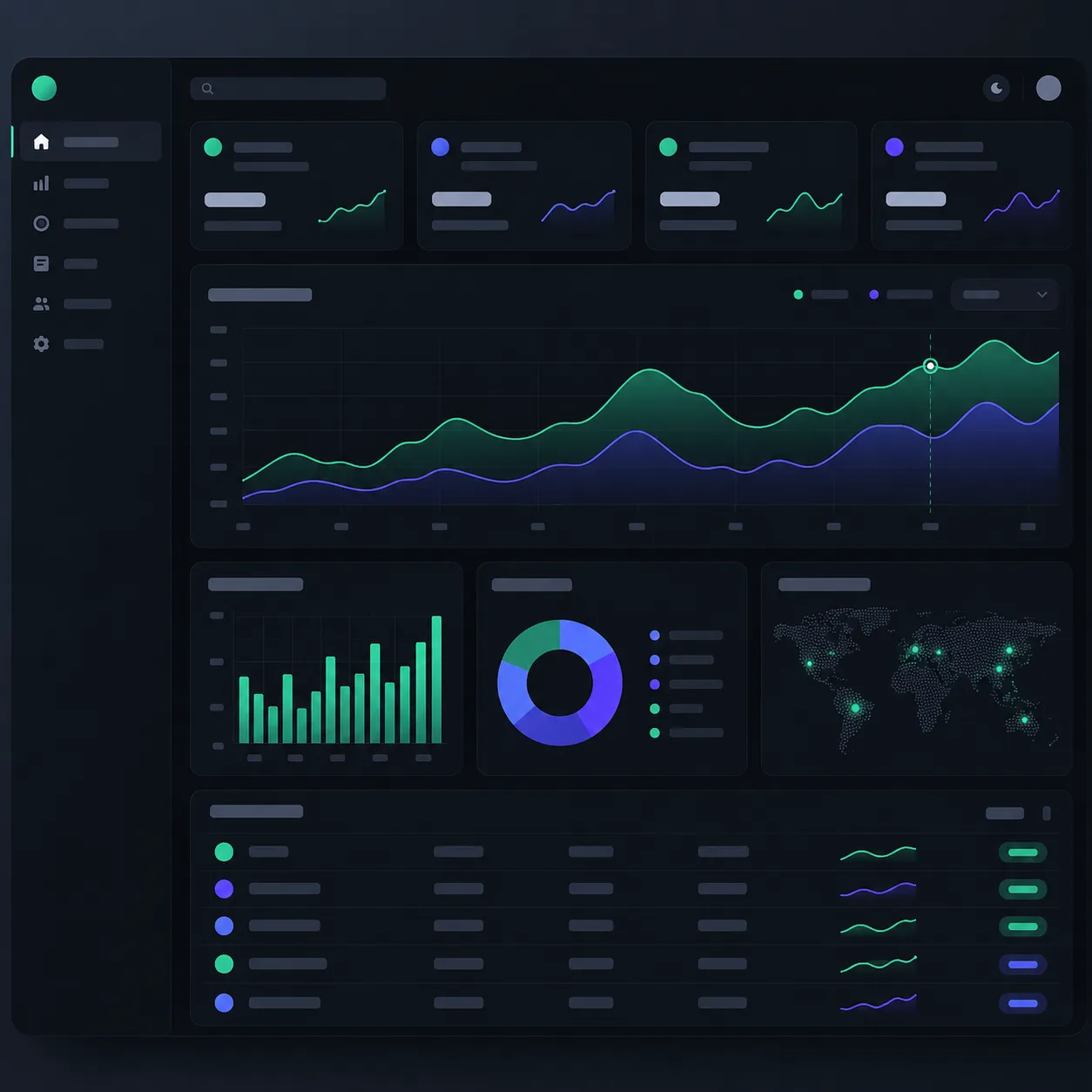
Clean Minimalist Dark Mode Web App UI
Generates UI concept designs featuring deep slate backgrounds, electric blue accents, and modern typography.
UI/UX design of a modern fintech analytics web application, dark mode theme (#0B0F19 background), sleek typography, glowing micro-charts, clean navigation sidebar with glowing icons, Bento grid layout, subtle glassmorphism borders, Figma Dribbble Behance trending, high resolution, crisp vectors --ar 16:10
 1:1
Clone Any AI Tool for Free
Turn any reference website into your own complete, fully functional product. Research the reference, rebuild it as an original app with local AI models, and ship it with zero paid APIs or services — here applied to a full AutoCaption Studio with video upload, local Whisper transcription, editable subtitles, and export.
# Full Website Recreation & Product Development Act as a senior product engineer, UI/UX designer, software architect and AI developer. Your task is to research, analyse and build a complete, fully functional, original AutoCaption Studio using the following reference website and the Replica Skill framework. ## 1. Reference Website **REFERENCE WEBSITE URL:** [PASTE YOUR REFERENCE WEBSITE URL HERE] **Replica Skill Repository:** [https://github.com/Jakeschincariol/replica-skill](https://github.com/Jakeschincariol/replica-skill) First, inspect the entire publicly accessible reference website. IMPORTANT: Do not analyse or recreate only its homepage or one particular feature. Study the complete website and product experience, including: - Homepage and all publicly accessible pages. - Complete UI layout and design system. - All available features and tools. - User workflows and interactions. - Upload and processing interfaces. - Editors, dashboards and settings. - Export options and output functionality. - Navigation, menus, modals and user interactions. - Responsive layouts and mobile experience. - Publicly documented functionality. Identify the product's overall architecture, feature set, user experience and functionality before starting development. ## 2. Product Development Build my own complete product called **AutoCaption Studio**. Use the reference website to understand the overall product experience and relevant functionality. Create an independent product with: - Original branding and identity. - Original UI design. - Complete frontend and backend wherever required. - Functional features, not just UI mockups. - Smooth and responsive interactions. - Professional-quality user experience. Do not copy proprietary source code, logos, trademarks, images or copyrighted content. ## 3. Core AutoCaption Features The application should support: - Video uploading. - Automatic speech-to-text transcription. - AI-generated subtitles with timestamps. - Editable subtitle text. - Subtitle timeline and video preview. - Multiple caption styles and fonts. - Text colours, backgrounds and positioning. - Word highlighting and caption animations. - SRT and VTT export. - Export video with permanently embedded subtitles. - Video format support for common creator workflows. Use locally running open-source speech recognition models such as Whisper. ## 4. STRICT ZERO-PAID-COST POLICY THIS IS A CRITICAL REQUIREMENT. I want to build and run this product without paying for external services. DO NOT integrate or use: - OpenAI paid APIs. - Gemini paid APIs. - Anthropic or Claude APIs. - Any paid AI transcription API. - Any paid text-to-speech or image-generation API. - Paid SaaS integrations. - Paid third-party plugins or libraries. - Paid hosting or cloud infrastructure. - Paid database services. - Paid authentication services. - Paid storage services. - Paid model inference services. - Any subscription-based dependency. Use only: - Free and open-source libraries. - Locally running AI models. - FFmpeg for video processing. - Free development tools. - Local storage or free alternatives. - Free hosting options where suitable. Do not introduce API keys, billing accounts, credit-based services or hidden paid dependencies. If a feature cannot be implemented without a paid service, DO NOT silently add one. Explain the limitation and suggest a genuinely free alternative. The application must be capable of running locally without requiring a paid API key. ## 5. Development Framework Use the following tools where appropriate: - Replica Skill for reverse engineering, architecture, design, development and testing. - Muse as the primary development environment. - React / Vite / TypeScript. - Tailwind CSS. - Open-source local AI models. - FFmpeg for video processing. - IndexedDB or SQLite for local data storage. Choose the architecture based on actual technical requirements rather than adding unnecessary dependencies. ## 6. Development Instructions Follow this workflow: 1. Analyse the complete reference website. 2. Document its relevant features and user workflows. 3. Prepare the complete product architecture. 4. Design the original AutoCaption Studio interface. 5. Build the frontend and backend. 6. Integrate local Whisper transcription. 7. Implement subtitle editing and video export. 8. Test all major workflows. 9. Fix bugs and verify functionality. 10. Prepare the application for launch. Do not stop after creating a landing page or frontend prototype. Build a genuinely functional application. Before considering development complete, verify that a real video can be uploaded, transcribed, edited and exported successfully. ## 7. Final Objective I want a professional, production-quality AutoCaption Studio that provides a complete user experience, takes inspiration from the overall reference product, and works without paid AI APIs or paid third-party services. Prioritise functionality, performance, clean architecture, usability and zero recurring API expenses. Start by inspecting the repository and reference website. Then prepare a detailed implementation plan and begin development.
 1:1
Crisp Modern Vector App Icon & Asset
Generates clean, scalable isometric 3D UI icons with frosted glass, smooth gradients, and isolated dark backdrops.
Isometric 3D render of a futuristic [APP CONCEPT] icon. Features frosted acrylic glass, glossy metallic connectors, floating luminous data glyphs in [BRAND COLORS], clean beveling, soft ambient occlusion shadows, isolated cleanly on dark obsidian (#0A0D14) background, Figma and Apple design language, ultra-clean edges in [VISUAL STYLE] --ar [ASPECT RATIO]
 1:1
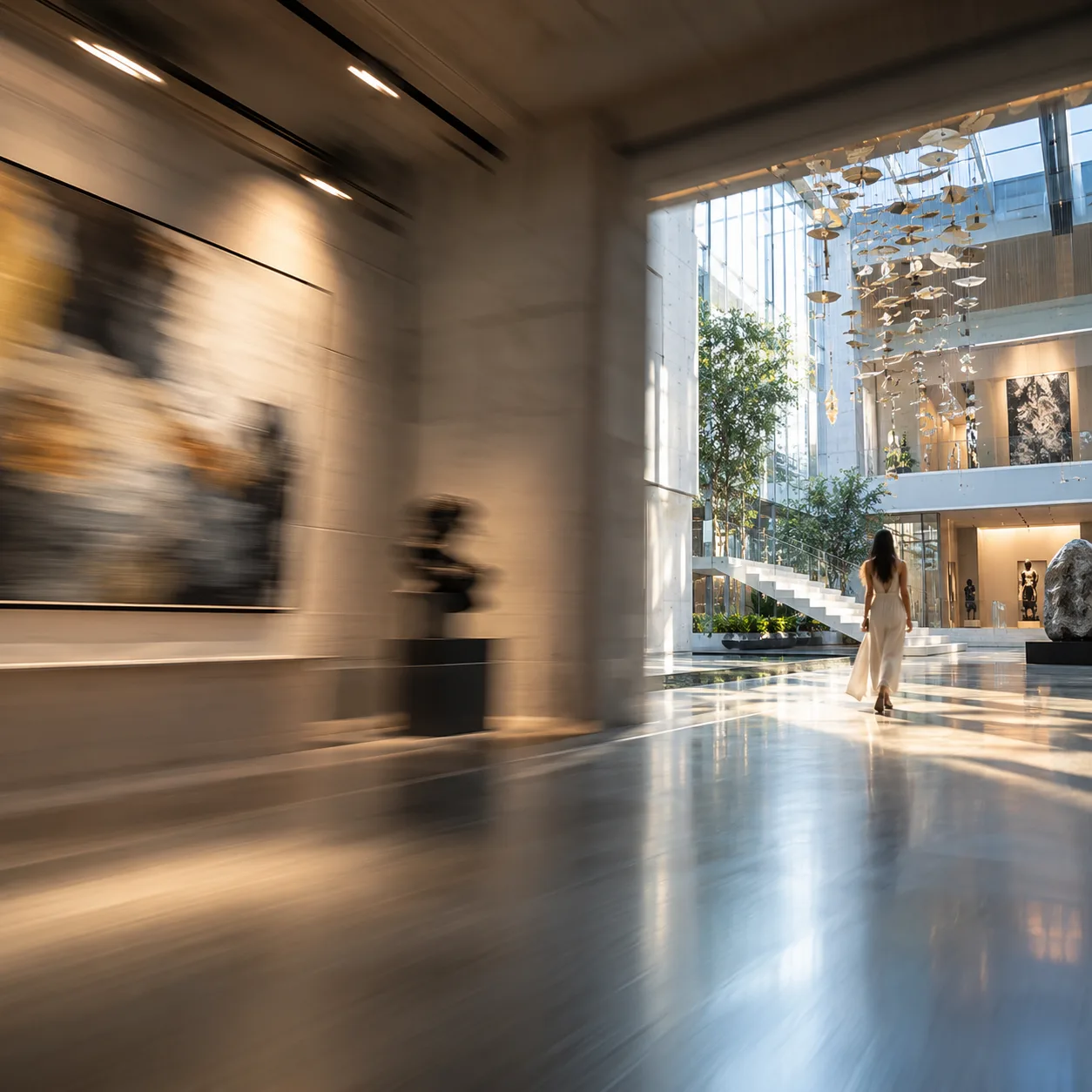
Dramatic Vertigo Dolly Zoom Character Reveal
Executes the classic in-camera Vertigo contra-zoom (dolly in while zooming out) to convey sudden realization or disorientation.
Higgsfield AI camera movement prompt: Classic cinematic Vertigo effect (contra-zoom/dolly-zoom). Camera physically dollies forward toward the subject while the focal length zooms out simultaneously at an inverted proportional rate. The character’s face remains exactly the same size in the center frame, while the grand museum hall background dramatically warps, expands, and rushes backwards in perspective distortion. Natural facial tension, high dramatic tension, Hitchcockian cinematic mastery.
 1:1
Dynamic Whip-Pan Architectural Space Reveal
High-speed directional whip pan camera transition connecting two distinct architectural spaces with authentic motion blur.
Higgsfield AI camera transition prompt: Camera starts inside a minimalist concrete brutalist living room, smoothly pushing in toward a floor-to-ceiling glass wall, then rapidly executes a fast lateral whip-pan to the right with realistic optical motion blur. The whip pan seamlessly snaps to a stop inside a lush tropical interior courtyard with cascading water features and dappled sunlight. Continuous uninterrupted momentum, natural shutter angle blur, cinematic spatial transition.
 1:1
Executive Competitive Intelligence Matrix
Directs research assistants to compile structured competitive teardowns with pricing, moats, and vulnerabilities.
Conduct an exhaustive competitive analysis between [Product A] and [Product B]. Build a markdown comparison matrix with the following columns: Core Value Proposition, Target Audience, Pricing Model & Transparency, Self-Hosting & Data Sovereignty, Technical Moats, and Known User Complaints from Reddit/G2. Conclude with an objective verdict for enterprise vs indie developer use cases.
 1:1
Exposed API Keys and Secrets
Prevent someone from extracting private credentials from the client and using your API account.
Act as a senior application security engineer. Audit my entire codebase for exposed API keys, secrets, tokens, and credentials. Check for: 1. OpenAI, Anthropic, Stripe, and other third-party API keys embedded in frontend JavaScript, HTML, mobile code, or publicly accessible configuration files. 2. Secrets committed to source code, Git history, logs, error messages, or client-side environment variables such as VITE_* and NEXT_PUBLIC_*. 3. Backend API routes that expose credentials or allow unauthenticated users to make expensive API calls using my account. 4. Missing server-side validation, authorization, rate limiting, and abuse protection on sensitive endpoints. Fix all confirmed issues. Move private credentials to server-side environment variables or a secrets manager, route privileged API calls through authenticated backend endpoints, and ensure the frontend never receives private secrets. Add appropriate rate limits and input validation to prevent API abuse. Never print actual secret values in your report. After making changes, scan the repository again and report every finding, its severity, the files changed, and the verification performed. If a secret has already been exposed, instruct me to revoke and rotate it because removing it from the code alone does not invalidate it. Do not claim the application is secure merely because the code changes look correct. Identify anything that requires manual verification.
 1:1
Full-Stack CRUD Application with Prisma & NextAuth
Generates a robust full-stack architecture with Prisma ORM schemas, NextAuth OAuth & magic links, and protected server actions.
You are a principal full-stack engineer. Build a secure, scalable CRUD architecture for [APPLICATION_NAME] using Next.js App Router, Prisma ORM, PostgreSQL, and Auth.js (NextAuth v5). Deliverables: 1. 'prisma/schema.prisma': - User, Account, Session, VerificationToken models for Auth.js. - Domain entity model '[RESOURCE_NAME]' with fields (id, userId, title, status, metadata Json, timestamps). - Optimized indexes for queries by userId and status. 2. Server Actions ('actions/[resource].ts'): - 'createResource', 'getResources', 'updateResource', 'deleteResource'. - Validate incoming payloads with strict Zod schemas. - Verify session authentication and tenant ownership before any mutation. - Revalidate appropriate path tags with 'revalidatePath'. 3. React Client Component: - Optimistic UI updates using 'useOptimistic'. - Loading skeletons and accessible error toast triggers on failed mutations. 4. PostgreSQL RLS policies specification for defense-in-depth security.
 9:16
Futuristic Hovercraft Rain Chase Parallax
Fast-paced sci-fi chase sequence through towering rainy metropolis canyons with neon reflections and engine exhaust flares.
Higgsfield AI sci-fi video prompt: Fast-paced forward tracking camera chasing a sleek aerodynamic hovercraft weaving between soaring cyberpunk skyscrapers in a torrential midnight rainstorm. Blue plasma engine thrusters emit pulsing particle contrails. Holographic vertical advertisements in magenta and cyan reflect across wet metallic facades and camera lens rain droplets. Dynamic camera roll and banking as the craft navigates tight turns. Blade Runner 2049 aesthetic, photorealistic atmospheric physics.